

The season changes.
Asparagus out, pumpkin in. Swap dishes, add descriptions and bring your seasonal menu up to date.
For restaurants, inns and cafés
A new season, new prices or a dish sold out: manage your menu in one place and publish the latest version for your guests – on your benvido website and via QR code.
Personal demo. No-obligation offer.
In practice · Landgasthof Schickh
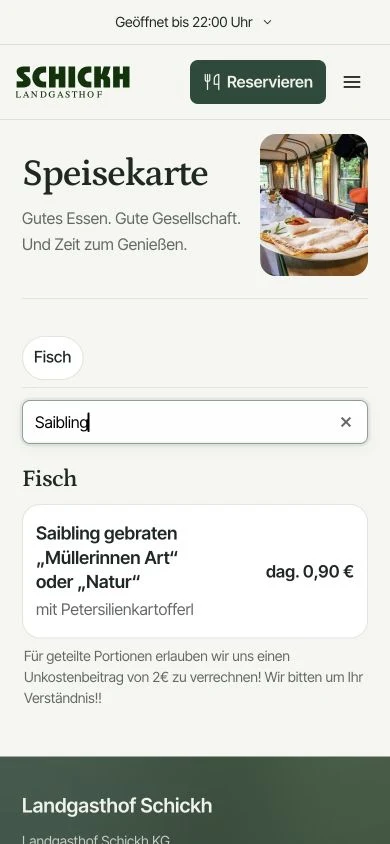
Explore dishes, search for something specific and switch between German and English. This is how guests use the digital menu at Landgasthof Schickh.
Real mobile views · 16 seconds · no audio
More time for your guests
Your kitchen has enough to do. Update your online menu yourself – without redesigning a PDF or asking someone else to do it.
Asparagus out, pumpkin in. Swap dishes, add descriptions and bring your seasonal menu up to date.
Adjust prices where you manage your dishes. Once published, guests see the latest version of your digital menu.
Change availability or hide a dish. Publish the update so your online menu reflects what your kitchen is serving.
Start with the menu you already have
Already have your menu in a file? Upload it. benvido uses AI to read the contents and prepare them for editing.
You have the final say: check the structure, prices and allergens, make any corrections and only then apply the draft.
Book a demo ↗The menu you work with today.
Dishes and categories are prepared for you.
Check, apply and publish.
Upload your existing menu and review the editable draft.
A QR menu for your guests
The menu is one of the first things guests want to see. Make it easy to find – at the table and before they visit.
The menu straight to your phone
This QR code opens the current menu at Landgasthof Schickh. You can also open it directly using the link.
Open mobile menu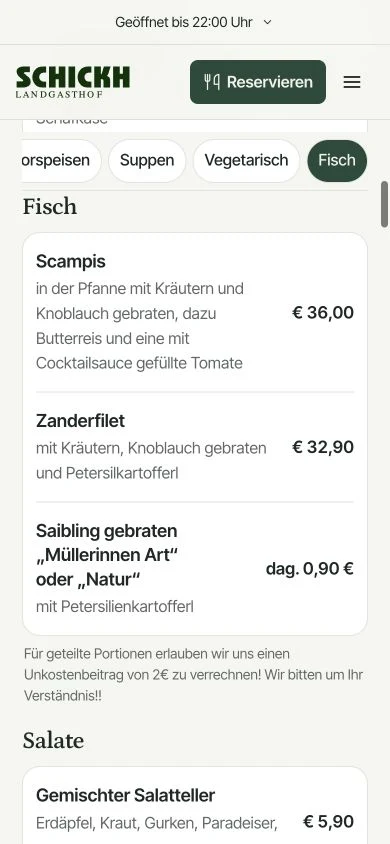
 Open menu
Place a QR code on the table and let guests open the current menu in their smartphone browser. No app to install and no PDF to pinch and zoom.
The code stays valid when you change the contents, as long as the menu address stays the same.
Share the link on your website or profiles. Guests can browse dishes, prices and notes in a clearly organised menu.
Real web content that search engines can read too.
Food and drinks in their own categories. Descriptions, prices, allergens and labels such as vegetarian or vegan – maintained by you, easy for guests to understand.
From your file to your digital menu
Keep using your current menu while you prepare your new online presence. You decide when to publish.
Confirm your email and add your business. We will plan the setup together.
Import a file or add dishes yourself. Check categories, prices and notes, then organise them for your guests.
Publish your menu after setup and download the QR code. You can share the menu link directly.
Practical workflows before you decide
The following examples illustrate typical use cases, not customer testimonials.
Update dishes and prices in benvido, check the preview and publish the new version. Your existing QR code remains usable as long as the menu address stays the same. Replace printed menus separately.
Upload your existing menu to create a draft. Check dishes, categories, prices and allergens before importing it. Importing reduces typing; your business remains responsible for reviewing the content.
Your digital menu is published with benvido. Link to it from an existing website or use it with a benvido website. It is not an ordering or payment system for guests.
Before you start
The key answers about importing, QR codes and keeping your menu up to date.
Yes. Upload your menu as a PDF, Word file (DOCX), Excel file (XLSX), CSV or image (JPG/PNG). AI prepares an editable draft. Review dishes, prices and details before accepting and publishing the content. We will discuss the import allowance you need.
No. Guests open your digital menu in their smartphone browser – via a QR code or a link. No app or user account is needed.
No. As long as your digital menu keeps the same address, the QR code remains valid. Once you publish your changes, it opens the updated menu. Printed menus still need to be updated separately.
Yes. Create several menus, organise categories and assign dishes. Update prices, descriptions, allergens and labels such as vegetarian directly on each dish. Even a larger selection stays easy to browse.
Prepare your changes in benvido, then start publication using Update website. Once the website update is complete, the new version is available on your public menu.
You can link from your existing website to your published benvido menu. The menu is hosted by benvido; this does not automatically transfer it into another website system. You can also use it with a benvido website.
We will show you benvido using the tasks that matter to your business. Together, we will discuss features, setup and your personal offer.
Your published menu is accessible as a webpage and readable by search engines. Connecting your Google Business Profile requires your approval. It does not guarantee automatic transfer of all dishes and prices to Google; external platforms determine presentation and update timing themselves.
Your next menu starts here
Prepare your digital menu. For guests browsing on their way – and those who have just taken a seat.
Book a demo ↗Free account · no credit card needed for setup