YOUR ONLINE ORDERING SYSTEM FOR COLLECTION
Order online.
Collect from you.
Your guests choose dishes and a collection time directly on your website. See at a glance what needs to be ready and when. The order is in benvido while you look after the food.
Online ordering is a separate module. We arrange setup and activation with you.
ORDERS AT A GLANCE
What needs to be ready next?
Keep new orders, collection times and current status in one place. Accept an order and follow it from preparation through to collection.
Your team sees the dishes, quantities and extras. An order that would have started as a phone call and a scribbled note arrives with all the details in place.
Set your collection times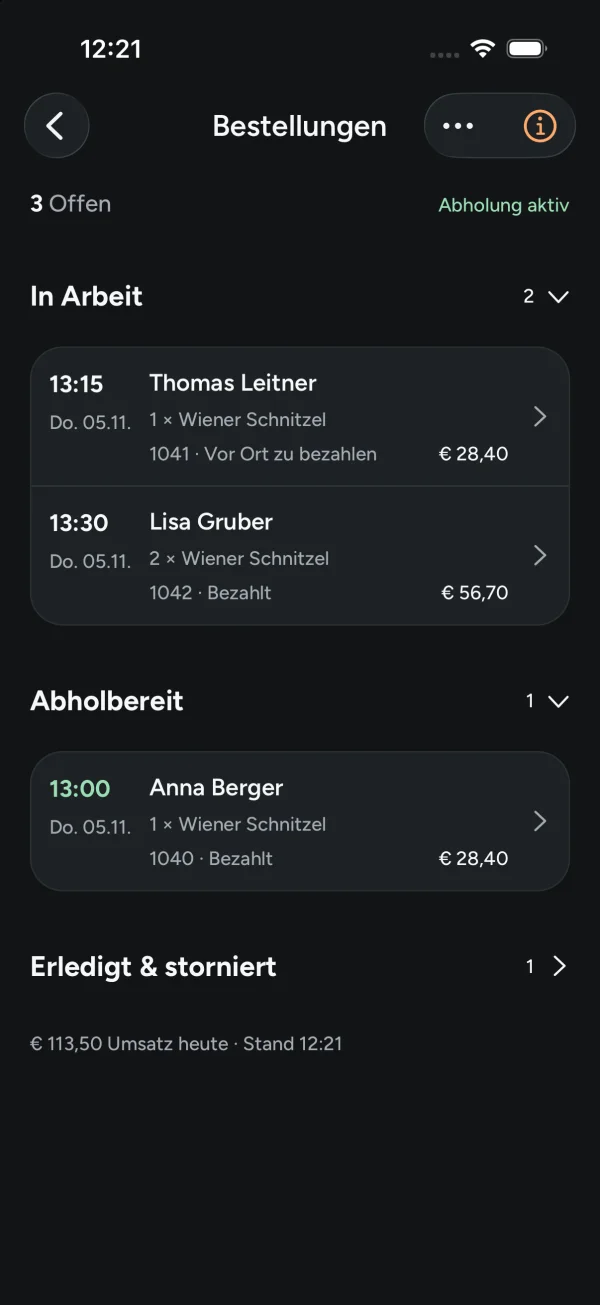
FROM CHOOSING A DISH TO COLLECTING IT
Your guests order. Your team knows what to prepare.
-
01
Choose your dishes.
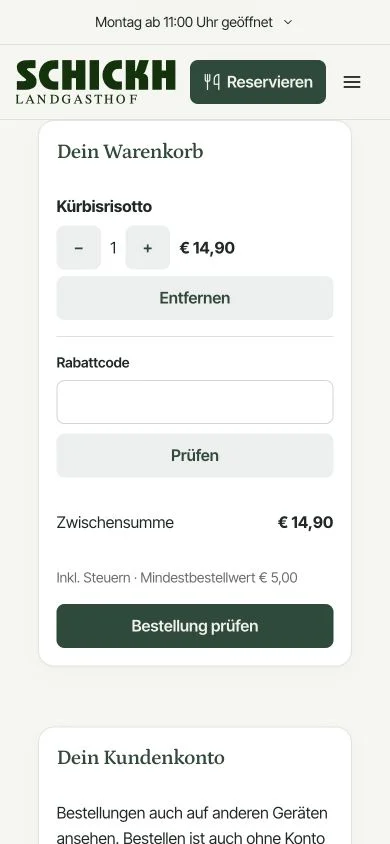
Guests choose from your ordering menu, add options or extras and see the price in their basket.
-
02
Choose a collection time.
Guests order for an available time slot, leave their contact details and choose from the payment options you offer.
-
03
Accept and prepare.
Review and accept the order. Your team updates its progress through to collection, and guests can check the order status.
YOUR KITCHEN SETS THE PACE
Accept as much as your team can handle well.
You decide when collection is available, how much preparation time you need and how many orders fit into each time slot.
If things get too busy, pause new orders. Your team can still see the orders already received.
Meet benvido ↗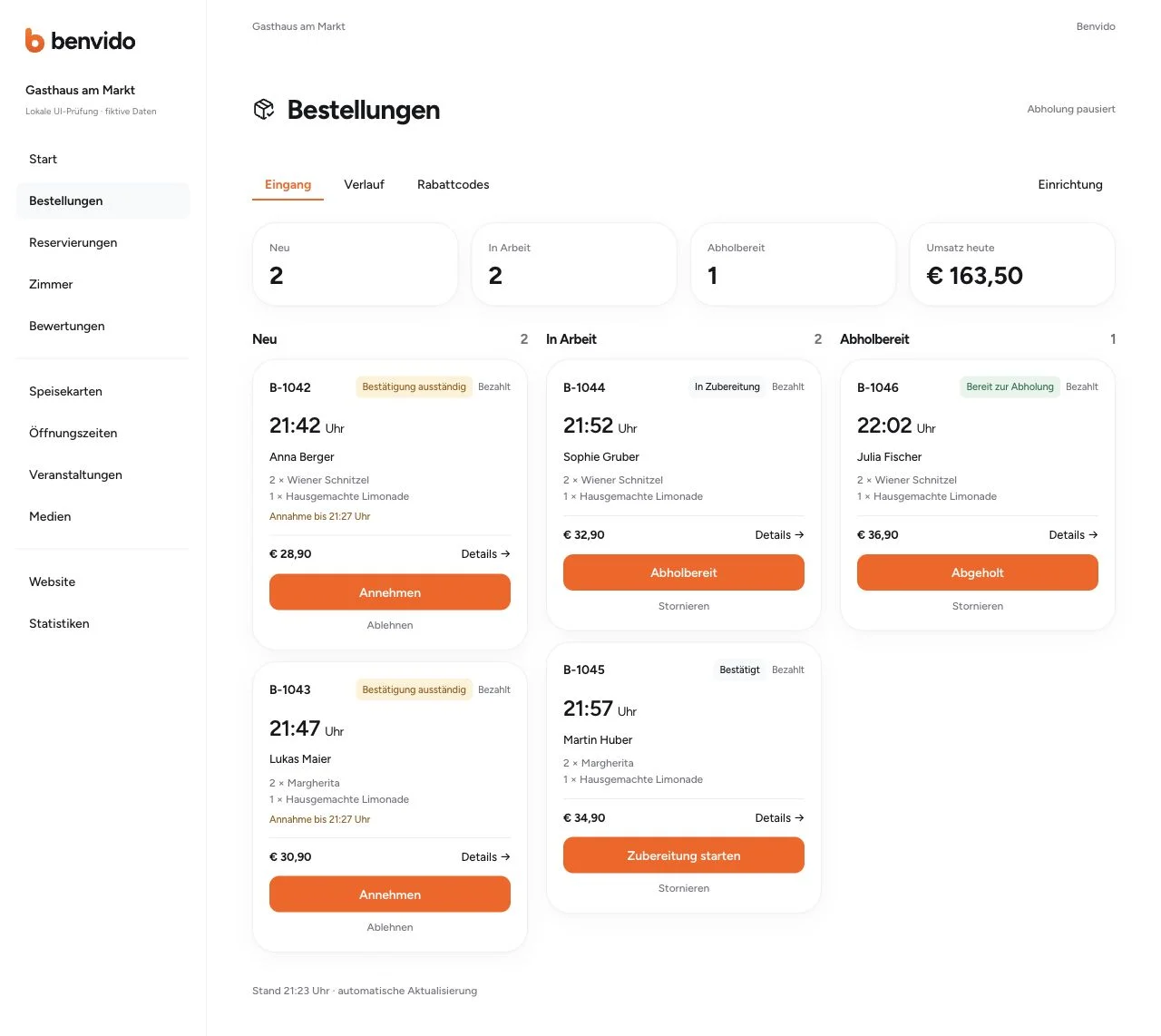
DIRECTLY THROUGH YOUR WEBSITE
From browsing the menu to placing an order.
Guests browsing your menu can order their food directly. They do not need an extra app and can order without an account.
Online payments are processed through Stripe. If you offer it, guests can choose to pay on collection instead.
View the digital menuANY QUESTIONS?
Your questions about online ordering.
Do my guests need to install an app or create an account?
No. Guests order through your website in their browser. They can also place an order without registering.
How do we keep collection times manageable?
Set your collection hours, preparation lead time and capacity per time slot. Guests choose from the available times. You can pause new orders when needed.
How do my guests pay?
Online payments are processed through Stripe. If you enable payment on collection, guests can pay when they pick up their food. We set up payment options to suit your business.
Can I offer dishes with options and extras?
Yes. Guests can select available options and extras and see the total in their basket. You decide which dishes can be ordered.
Does this include a delivery service?
The ordering system is designed for collection orders. Delivery and driver scheduling are not included.
How do I get started and what does online ordering cost?
You can create your benvido account for free. Online ordering is a separate module. We agree on the features, costs, payment setup and activation with you before you start accepting orders.
YOUR FOOD TO TAKE AWAY
Let guests order through your website.
Create your free benvido account. Together, we will work through your takeaway menu, payment options and activation of the ordering module.